

These are instructions on how to install the Honor Driver on a Windows computer, which helps you connect your Honor Devices to the computer.
Requirements: You need a Windows computer (32-bit or 64-bit) to install the Honor Drivers.
Steps to Install Honor Driver on Windows
- Download and extract the Honor Driver on the Computer. If you have already downloaded the USB Driver, then SKIP this step.
- After extracting the Honor Driver package, you will be able to see the following files:
- Now, open HonorDriver-x64.msi (64-bit) or HonorDriver-x86.msi (32-bit):
- Now, Click Next Button to Continue.
- Again, Click Next Button to Continue.
- Now, Choose the Installation Location (leave it as default) and Click Next Button.
- Now, Installation will be completed within a minute.
- Once Installation is Completed, Click Finish Button to Close the Setup.
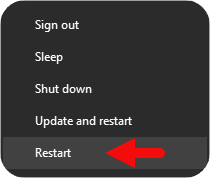
- Now, Restart your Computer. Once your computer is restarted, you can easily connect your Honor phones to the Windows computer.


Notes:
[*] Download Honor Driver: You can download the latest Honor Driver from our Download Section.
[*] Honor Driver for Specific Model: If you are looking for the Honor Driver for a specific model, then head over to our Devices page.
[*] Honor: If you are looking for the official Honor Stock Firmware, then head over to the Honor Firmware page.
[*] Remove or Uninstall: If you want to remove or uninstall Honor Driver from the computer, then head over to How to Uninstall Honor Driver page.
